HyperDeck Monitor
Every HyperDeck in the rack on one screen. Find them, watch them, set them up, roll them together, and get the footage off to your drives — with a push to your phone if a deck stops recording.
No account, no licence key. Talks to the decks over Ethernet — nothing to install on the HyperDecks themselves.
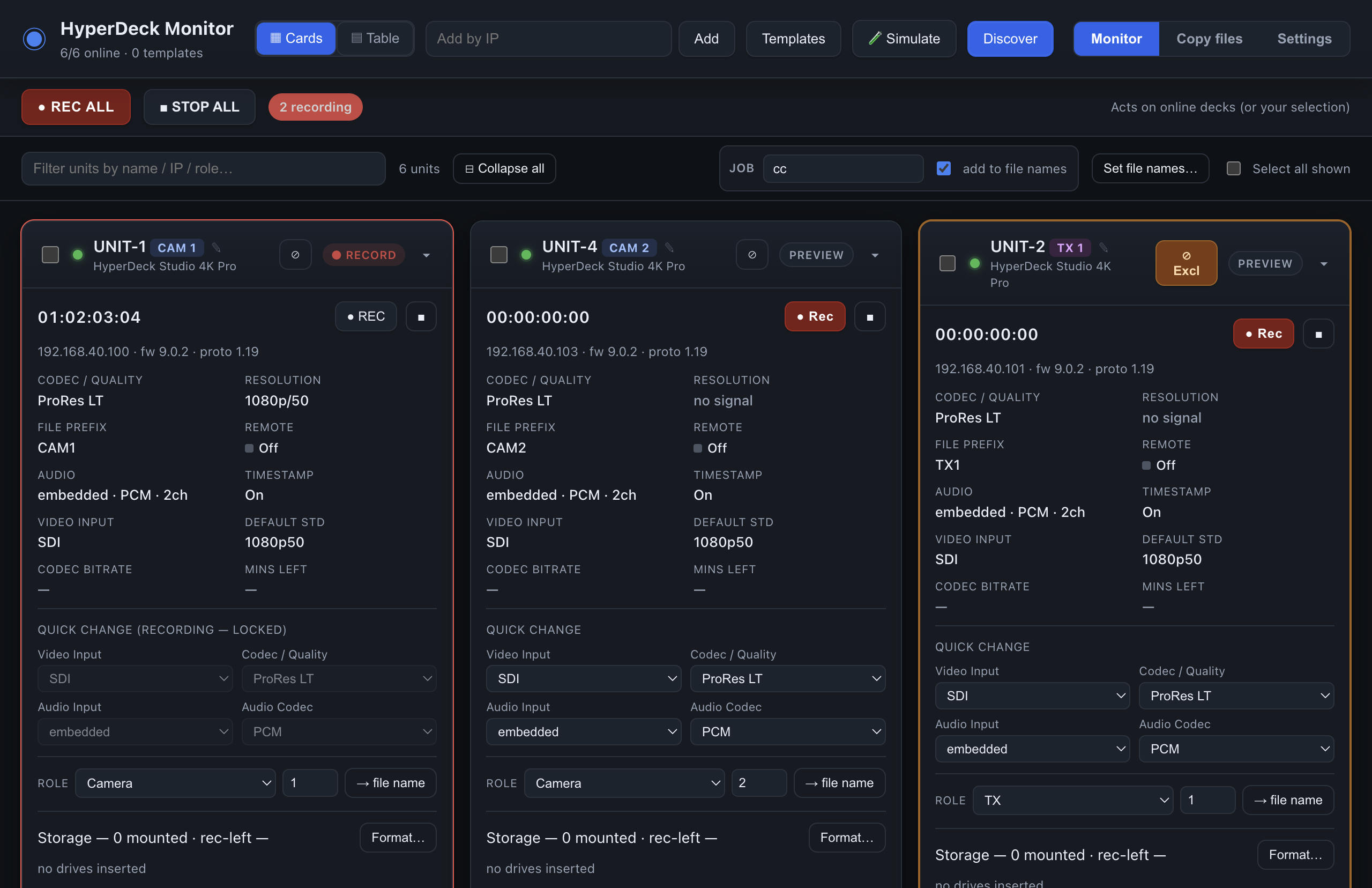
We run multi-camera events out of Manchester. Between takes nobody has time to walk the rack checking each deck's card, prefix and timecode, so we built the tool we wanted, ran it on our own shows, and released it free.
Built for show days, not for the edit suite
Finds every deck
Scans the network by mDNS and a port sweep, or add a deck by IP. Decks are remembered by hardware ID, so they reconnect even when their address changes.
Live monitoring
Transport, timecode, input format, codec and quality, file prefix, audio, remote state and card space per slot — pushed live from each deck. There is no refresh button because you never need one.
Record All — and know if one drops
One press rolls the whole fleet or just the decks you tick. If an armed deck stops rolling — full card, lost input, stray button — it is flagged in red and your phone gets an urgent alert.
Table view and templates
A spreadsheet of the fleet where every setting is a drop-down. Pick a master deck and copy its settings to the rest, or save a template and apply it before doors.
Roles and file names
Tag decks CAM 1, TX 2, GFX 1. Add the job name and every clip on every card is named for the show, the role and the take.
Copy files over the network
List the clips on every deck, queue what is new, and copy them to your drive with dedupe, retries and conflict handling built in. No card readers, no sneakernet.
Live sync and verify
Set Auto and each clip is copied the moment the deck closes it, then mirrored to a second drive or a cloud / FTP host. Checksum verification when you want proof.
Phone notifications
Progress, finish, errors and the recording alarm arrive on your phone through the free ntfy app. No account, no email, nothing to configure on a server.
Format cards from the desk
Format one slot, one deck, or the same slot across every selected unit, with each volume named for its role. Two confirmations stand between you and an erased card.
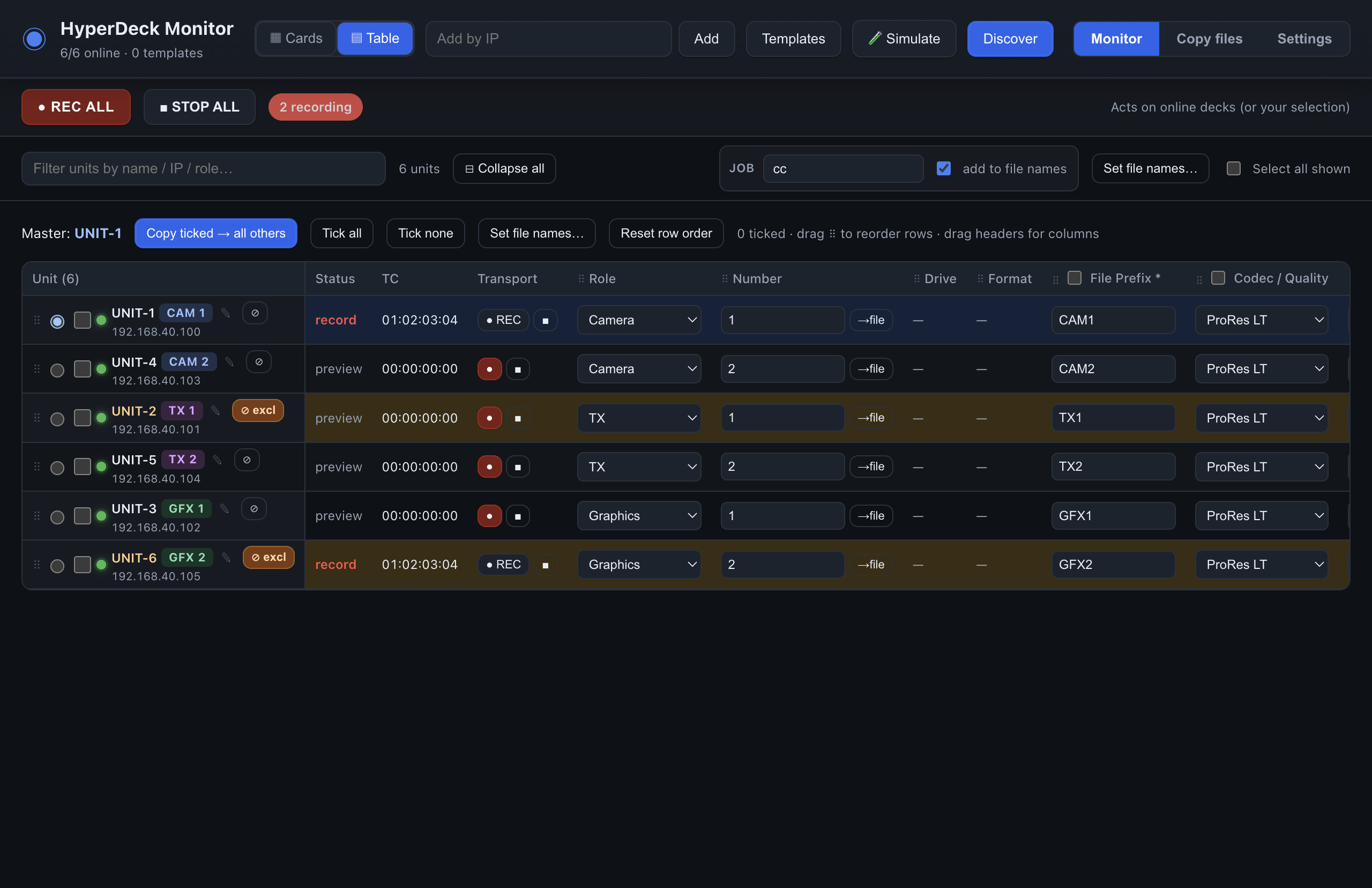
The whole fleet in one table
Every deck is a row and every setting is a control, so you change a codec or a prefix right where you read it.
- Master and copy. Pick one deck, tick the columns that matter, and make the rest match in a click.
- Templates with a diff. Capture a deck's settings, apply them to a selection, and see exactly what will change before it does. Each field is re-read afterwards to confirm it took.
- Recording decks are protected. A deck that is rolling is skipped by bulk changes and locked on its card.
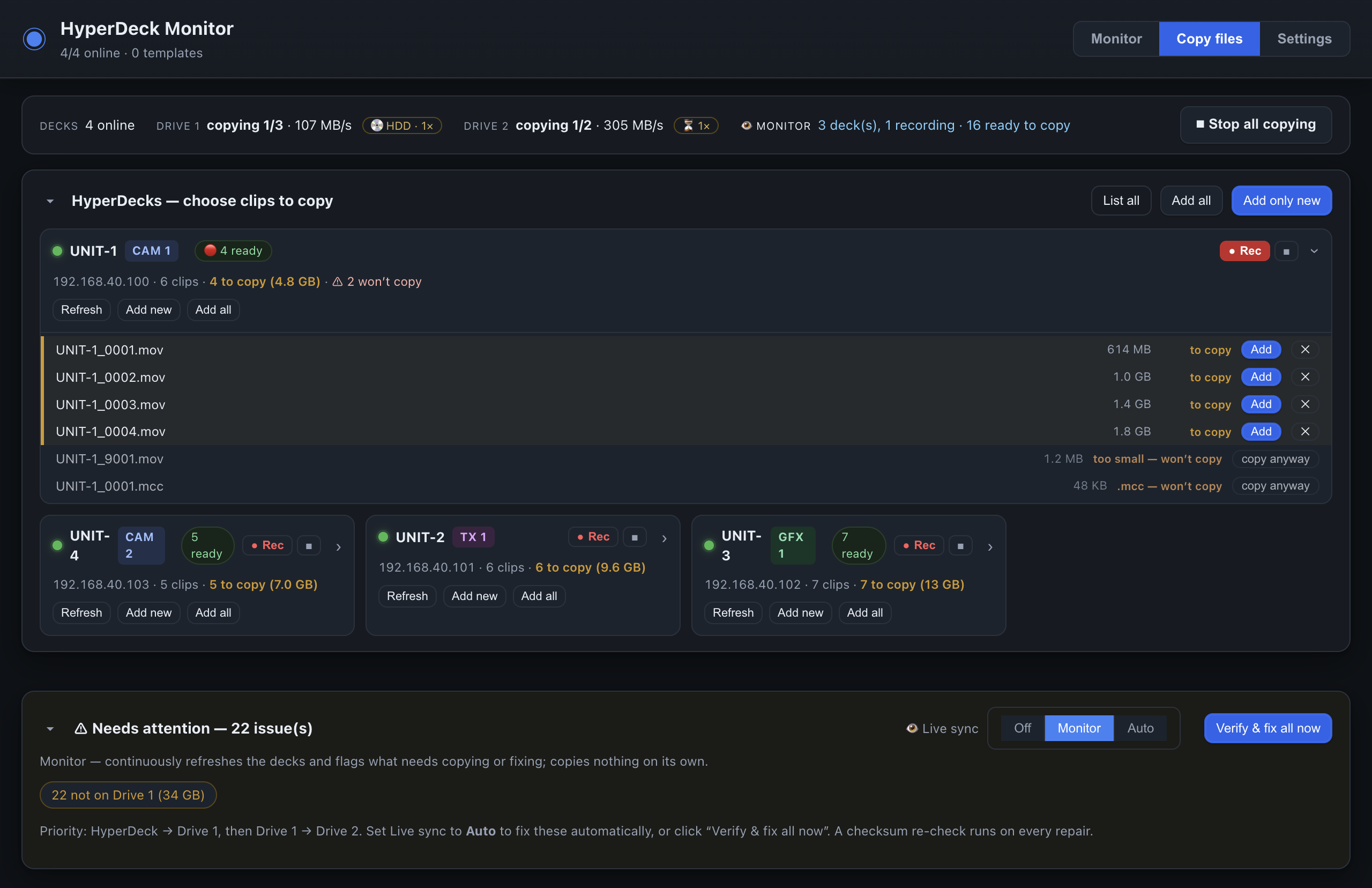
Footage on your drives before the decks are stopped
Live sync has three positions. Off does nothing on its own. Monitor keeps listing the decks and tells you what still needs copying. Auto copies each clip as soon as the deck finishes writing it.
- Knows what you already have. Identical clips are skipped; a clip that exists but differs is flagged so you choose.
- Second drive and cloud. Mirror to a backup drive as files land or after the queue, and upload a third copy to FTP, Dropbox or Box.
- Verify & fix. One pass checks every clip against both drives, re-copies anything missing or wrong, and can checksum the lot.
- Per-drive ETA. Speed and time remaining for Drive 1, Drive 2 and the cloud, with spinning HDDs detected and throttled so they don't thrash.
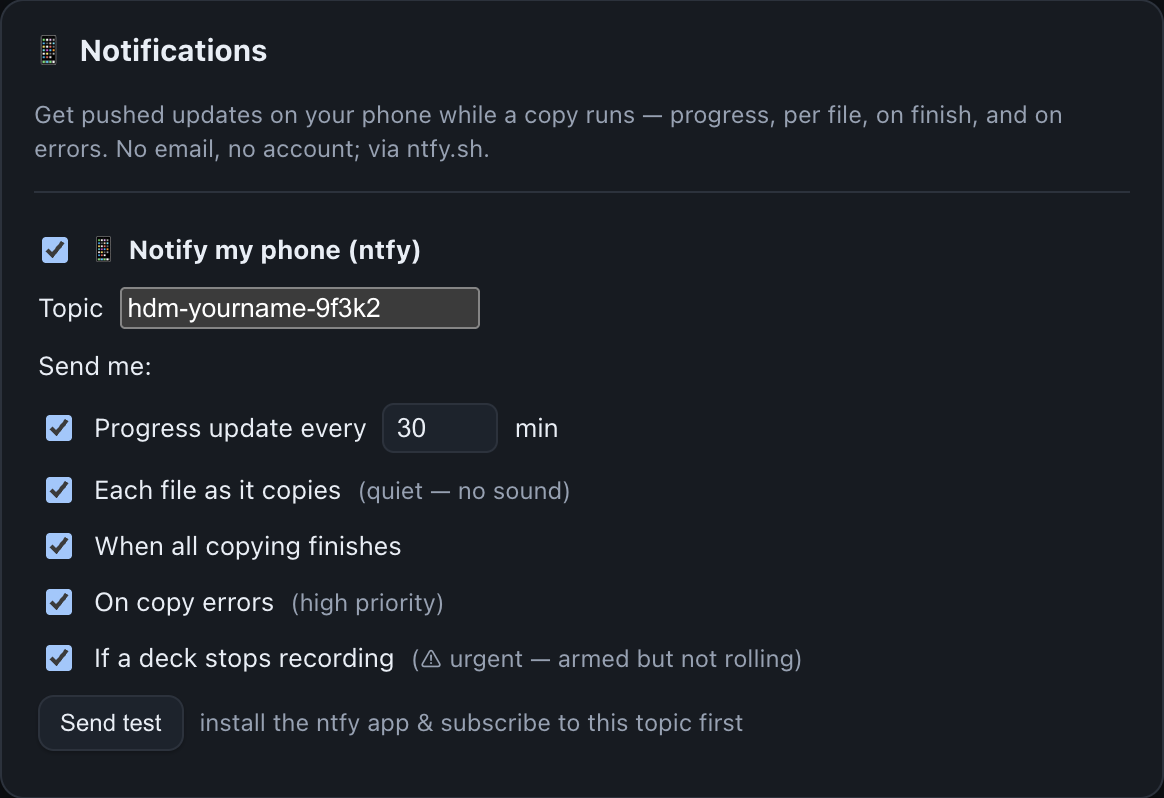
Your phone knows before you do
Install the free ntfy app, pick a topic name, type the same name into Settings, and choose what you want sent.
- Progress every N minutes with each drive's percentage and ETA.
- Finished when the whole queue has landed.
- Errors at high priority, so they get through Do Not Disturb.
- Deck stopped recording as an urgent alert, with an all-clear when it is rolling again.
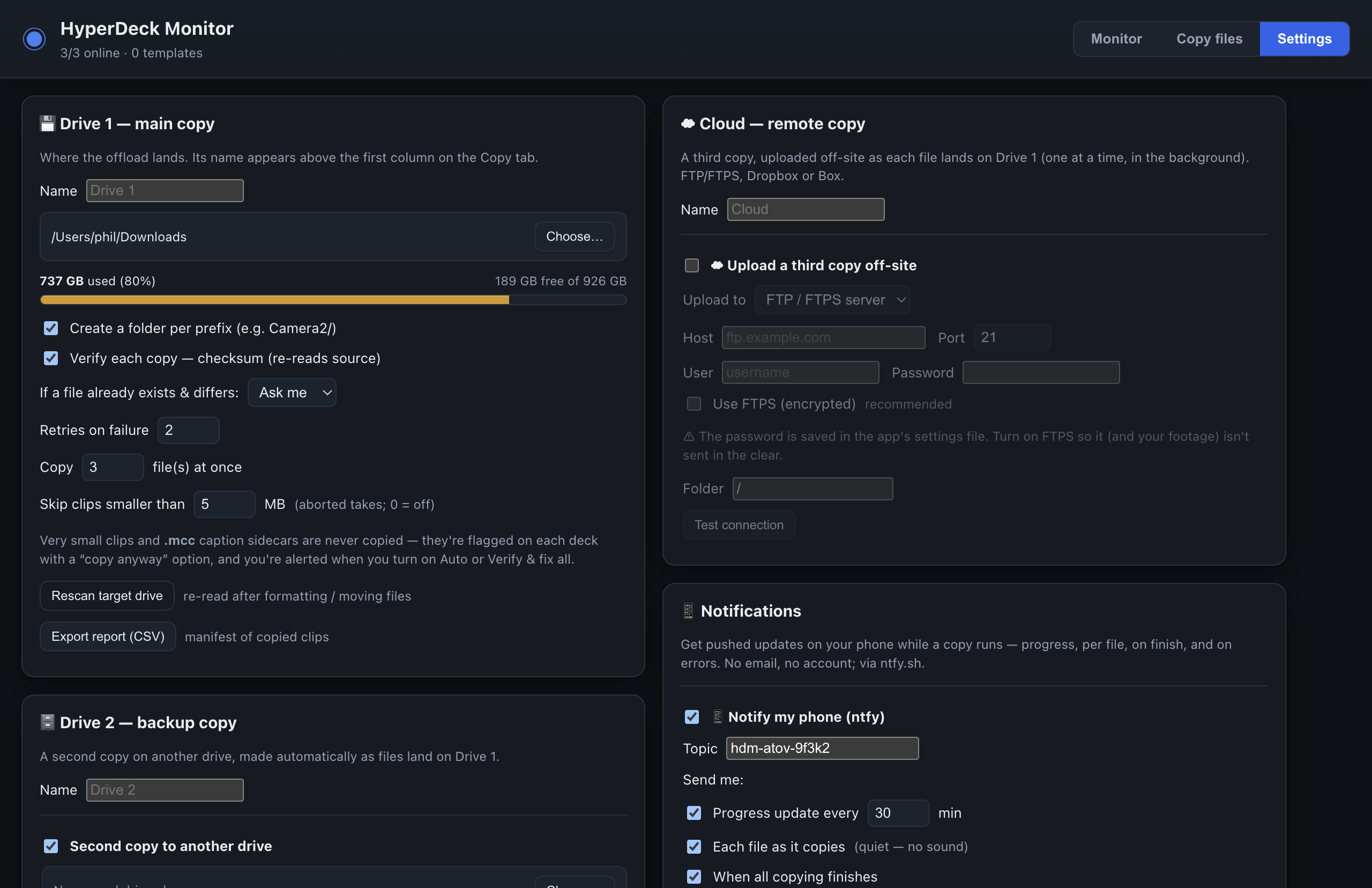
Two drives, the cloud, and the rules for all three
- Drive 1 is where the offload lands: a folder per camera, how many files at once, retries, and what to do when a file already exists.
- Drive 2 mirrors automatically, from the Drive 1 copy or pulled again from the deck.
- Cloud uploads a third copy off-site as each file lands.
- Guardrails. Aborted-take fragments and caption sidecars are never copied by accident; a CSV manifest of everything copied is one click away.
Up and running in three steps
Download and open
Windows installer or portable EXE; macOS disk image for Apple silicon. Nothing to install on the decks.
Click Discover
Every HyperDeck on the network appears with its live state. Add any stragglers by IP.
Choose a drive and start copying
Pick a Drive 1 folder in Settings, click Add only new, then Start — or set Live sync to Auto and let the show run.
- Works with
- Blackmagic HyperDeck Studio and Extreme recorders on the same network, over the HyperDeck Ethernet Protocol and FTP.
- Runs on
- Windows 10 and 11, macOS on Apple silicon.
- Cost
- Free. No account, no licence.
Get HyperDeck Monitor
Latest version, release notes and the full guide are on the downloads page.
Questions or ideas? Open an issue or call 0161 230 6600.
Disclaimer. HyperDeck Monitor is provided as-is, without warranty of any kind. A to V Limited are not responsible for your data: always keep your own backups, check that your copies are complete before wiping a card, and treat every format as permanent.